

Coaching and Training
Coaching and Training
The Coaching and Training section transforms conversations into educational and actionable material for the team. It allows identifying the most impactful moments of any meeting, saving them, organizing them, and sharing them to elevate sales performance.
1. Create and Manage Clips
Clips are short, specific fragments of recordings that capture key moments: a good objection handling, an excellent opening, a powerful question, or a common mistake. They are the foundation for evidence-based coaching.
.png)
The Clip Library
This library is the central explorer where all generated clips are stored, whether automatically created by AI or manually by the user.
.png)
- Search and Filters: It offers a powerful toolbar to precisely locate clips using criteria such as Date, Company, Smart Category (AI intelligent categories), and Activity channel (recording source).
- Quick Creation: It is possible to create a clip directly from the Detail View of any recording, by selecting the desired fragment.
- Individual Management:
- The three-dot menu (...) at the end of each clip's row allows copying the link to share it individually or deleting the clip from the library.
- Group into Playlists: The main button +Add to playlist allows selecting one or more clips and quickly adding them to an existing playlist or creating a new one.
2. Create and Organize Playlists
Playlists are the most powerful tool for coaching and training. They allow grouping clips into thematic and structured collections, facilitating the creation of learning modules or comparative analysis.
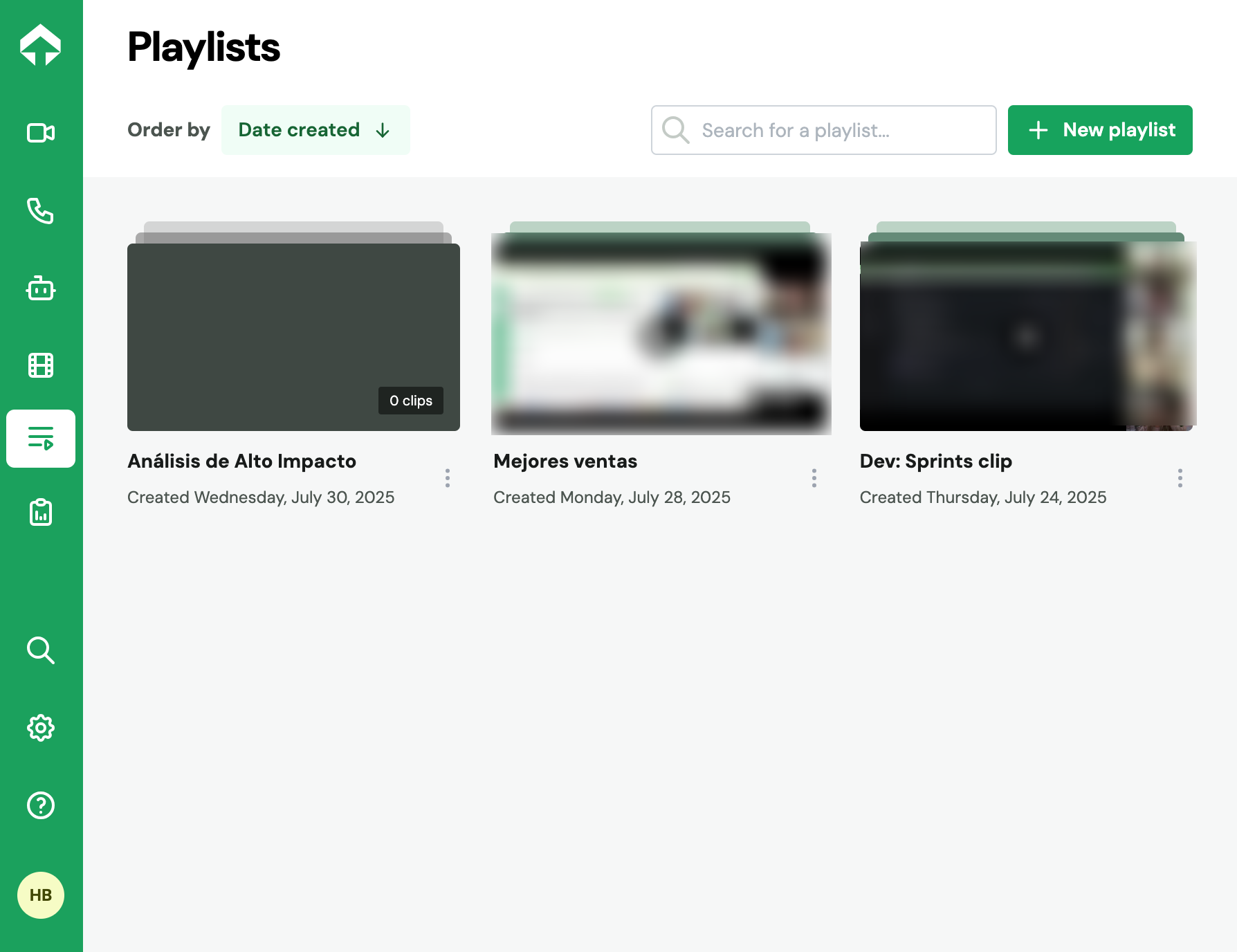
The Playlist Library
From this section, it is possible to create new playlists (+New Playlist) and manage existing ones.
- Editing and Organization: By clicking on a playlist, the following actions can be performed:
- Add more clips at any time.
- Reorder clips by dragging them to structure your content.
- Share the entire playlist with the team or with third parties.
- Delete the playlist if you no longer need it.
Frequently Asked Questions (FAQ)
Are AI-created clips different from those I create manually?
No, once created, all clips function in the same way in your library and can be added to playlists. The main difference is their origin: some are automatically generated by the AI when detecting key moments, and others are defined by you.
If I delete a clip, is the original recording it came from also deleted?
No. Deleting a clip only removes it from your Clip Library and from any Playlist where it was. The complete original recording remains intact and available in your Recordings Explorer.
Can I share a clip or a playlist with someone who doesn't use Salescaling?
Yes, you can share clips and playlists by generating a "public link" (shareable link). Anyone with that link will be able to view the content without needing a Salescaling account.